Microcom 438 Uživatelský manuál Strana 24
- Strana / 214
- Tabulka s obsahem
- ŘEŠENÍ PROBLÉMŮ
- KNIHY


- Table of Contents 5
- Introduction 11
- 1.1 General Specifications 12
- 1.3 Media Specifications 13
- 2.1 Fonts 14
- 2.2 Graphics 14
- 2.3 Bar codes 14
- One-dimensional 14
- Two-dimensional 14
- 2.4 Special Features 15
- 2.5 Options 15
- 3.2 Connecting the Printer 16
- 3.2.1 Printer Power 17
- 3.3 Loading Media 19
- 3.4.1 Print Button 21
- 3.5 Printer Modes 22
- 3.5.1 Idle Mode: GREEN 22
- 3.5.2 Halted Mode: RED 23
- 3.5.4 Diagnostic Mode 23
- Getting Started Chapter 3 25
- 4.1 Control Characters 26
- 4.2 LDS Design Exercises 26
- 4.2.2 Format Creation 27
- Microcom 29
- Corporation 29
- 4.4.9 SPG (Steps Past Gap) 33
- 4.5 Sample Header 35
- 4.6 Label Format Fields 35
- 4.6.4 CC (Character Count) 37
- 14pt ABCDEFGHIJKLMNOPQR 39
- 4.8 Reverse Video 45
- 4.8.1 Reverse Video 45
- Chapter 5 Printer Commands 48
- 5.1.1 Enquiry Responses 50
- 5.2.1 Software Switches 52
- 5.3 General Purpose I/O 71
- 5.4 Specialized Print Modes 73
- 5.4.2 USB Image Print Mode 74
- 5.4.6 Registration Commands 77
- 5.4.7 Auto-size Commands 78
- 5.4.8 AutoHeader Commands 79
- 5.5.1 AutoLoad + Form Feed 80
- 5.6 Printing Commands 83
- 5.9.1 Cutter Type 88
- 5.9.2 Kiosk Cutter Commands 88
- 5.9.4 Cutter Hold-off 90
- 5.10.1 Tag/Tear Operation 91
- 5.12 Memory Commands 92
- 5.13 Printer Code Update 97
- 6.1 FLASH Data Types 102
- 6.2 RAM Data Types 102
- 7.1 FLASH Data Types 110
- 7.2 RAM Data Types 110
- 7.3.1 SFP2MIC.exe Program 111
- 7.3.2 FONTCV16.exe Program 111
- 7.4 Font Download Methods 111
- 7.5 Font Structure 114
- Chapter 8: Bar Codes 118
- 8.1.14 MaxiCode, TCI 38 124
- ABC#3012345#5abc 127
- 8.1.18 Code 93, TCI 43 128
- 8.1.19 PDF-417, TCI 46 128
- Text string 130
- 8.1.20 Datamatrix, TCI 47 131
- 8.1.22 Planet Code, TCI 49 138
- 8.1.23 UCC/EAN 128, TCI 50 139
- 8.2 Bar Code Rotation 143
- ROTATIONS 144
- Text & Extended Bars 145
- Bar Codes Chapter 8 147
- 9.2 Character Sets 148
- 9.3 Code Pages 148
- 9.3.1 Code Pages 149
- 9.3.2 Danish Code Page 150
- 9.3.3 860 Code Page 151
- 9.3.4 Spanish Code Page 152
- 9.3.5 850 Code Page 152
- Code Switching Chapter 9 153
- Figure 9-5 Code Page - 850 153
- 9.3.6 German Code Page 154
- 9.3.7 865 Code Page 155
- 9.3.8 Swiss Code Page 156
- 9.3.9 852 Code Page 156
- 9.3.10 French Code Page 158
- 9.3.11 863 Code Page 159
- 9.3.12 Swedish Code Page 160
- 9.3.13 437 Code Page 160
- 9.3.14 Italian Code Page 162
- 9.3.15 British Code Page 163
- 9.3.16 USA Code Page 164
- 10.1 Maintenance Schedule 166
- 10.2 Thermal Printer Card 166
- 10.3 Internal Cleaning 169
- 10.4 Print head Maintenance 170
- 10.6 Exterior Cleaning 171
- 11.1 Troubleshooting Tips 172
- General Index 174
- 1-1, 3-3 177
- Appendix 184
- Glossary 206
- Appendix D: User Notes 210
Související produkty a manuály pro Tiskárny Microcom 438
 (249 stránky)
(121 stránky)
(70 stránky)
(3 stránky)
(73 stránky)
(15 stránky)
Frame It All 300001252 manuali
Manuali dei proprietari e guide per l'utente per no Frame It All 300001252.
We fornisce 1 manuali pdf Frame It All 300001252 per scaricare gratuitamente in base al tipo di documento: Guida di Installazione
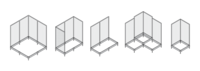
Frame it all 300001252 Guida di Installazione (1 pagine)
Marchio: Frame-it-all | Categoria: No info | Dimensione: 0.26 MB |

Indice
Più prodotti e manuali per no Frame It All
| Modelli | Tipo di Documento |
|---|---|
| 300001198 |
Manuale delle Istruzioni
Frame It All 300001198 Instructions / Assembly,
3 pagine
|
| 300001080 |
Manuale delle Istruzioni
Frame It All 300001080 Instructions / Assembly,
1 pagine
|
| 300001160 |
Manuale delle Istruzioni
Frame It All 300001160 Instructions / Assembly,
1 pagine
|
| 300001061 |
Manuale delle Istruzioni
Frame It All 300001061 Instructions / Assembly,
1 pagine
|
| 300001194 |
Manuale delle Istruzioni
Frame It All 300001194 Instructions / Assembly,
3 pagine
|
| 300001093 |
Manuale delle Istruzioni
Frame It All 300001093 Instructions / Assembly,
4 pagine
|
| 300001002 |
Manuale delle Istruzioni
Frame It All 300001002 Instructions / Assembly,
3 pagine
|
| 300001207 |
Manuale delle Istruzioni
Frame It All 300001207 Instructions / Assembly,
1 pagine
|
© 2020, manymanuals.cz. Všechna práva vyhrazena. | 0.026 s |
 Manymanuals.com
 Manymanuals.de
 Manymanuals.fr
 Manymanuals.it
 Manymanuals.pl
 Manymanuals.cz
 Manymanuals.es
 Manymanuals-pt.com
Komentáře k této Příručce